Print Preview for WinForms
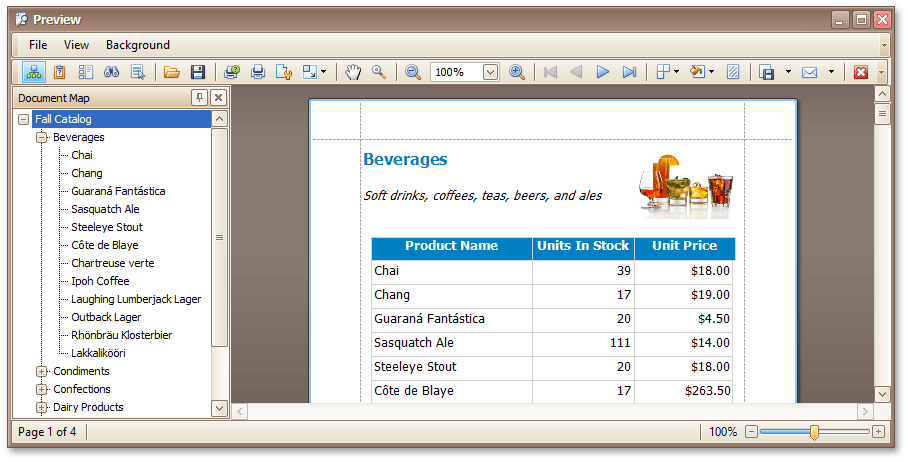
This section describes the capabilities provided by the Print Preview form.
File Management
Printing and Page Setup
- Print a Document via the Print Dialog
- Print a Document Using Default Settings
- Change Printing Settings via the Page Setup Dialog
- Specify Page Margins in Print Preview
Headers and Footers
- Insert Page Header and Page Footer into Printed Documents
- Insert Page Numbers into Printed Documents
- Insert Date and Time into Printed Documents
- Insert the User Name into Printed Documents
- Insert a Logo into Printed Documents
Scaling
Zooming
- Zoom Print Preview In or Out
- Zoom Print Preview by Entering a Zoom Factor
- Zoom Print Preview to Show Whole Pages or Fit Content
- Show Two or More Pages in Print Preview
Viewing and Navigating
- Navigate Between Pages in Print Preview
- Use the Hand Tool in Print Preview
- Navigate in Print Preview Using Bookmarks
- Navigate in Print Preview Using Thumbnails
- Search for a Specific Text in Print Preview
- Switch Print Preview Display Mode
Interactivity
Watermark and Background
Exporting
- Exporting from Print Preview
- PDF-Specific Export Options
- HTML-Specific Export Options
- MHT-Specific Export Options
- RTF-Specific Export Options
- DOCX-Specific Export Options
- XLS-Specific Export Options
- XLSX-Specific Export Options
- CSV-Specific Export Options
- TXT-Specific Export Options
- Image-Specific Export Options
Passing Parameters
Miscellaneous
- Customize Printing Settings of Charts
- Customize Printing Settings of Grids
- Customize Printing Settings of Pivot Tables
- Customize Printing Settings of Tree Views
Warnings and Error Messages